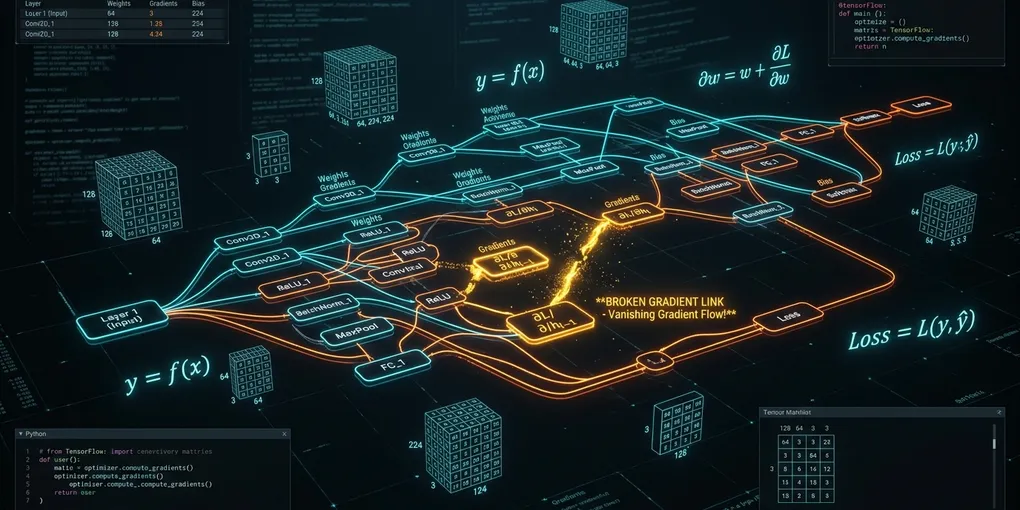
How to Fix 'RuntimeError: one of the variables needed for gradient computation has been modified by an inplace operation' in PyTorch on Linux
When PyTorch reports that a variable needed for gradient computation was modified by an in-place operation, preserve the full exception and investigate the computation around the failing backward pass. The message is a useful starting point, but it does not identify a repair by itself. A change that removes the exception also needs to preserve the intended loss and gradients.
This guide provides a diagnostic workflow rather than a claimed reproduction. The supplied source material does not establish the detailed version-counter, view, or anomaly-detection behavior needed to verify a runnable example. Check those details in the documentation and runtime for your pinned PyTorch release before relying on them.
1. Route by the actual failure
Start with the complete exception and traceback, including any preceding messages. Then choose a path:
- The message says a variable needed for gradient computation was modified in place: map the relevant forward and backward steps and inspect candidate writes, as described below.
- The message says a tensor does not require grad or has no grad function: inspect where the intended training loss was constructed and whether gradient tracking was disabled. The PyTorch autograd tutorial describes
requires_grad,grad_fn,torch.no_grad()anddetach(). - The failure concerns a second backward pass: record which losses use the same forward computation and when each backward call occurs. The tutorial describes
retain_graph=Truefor cases requiring several backward calls on the same graph; whether that is appropriate depends on the training design. - The exception is CUDA out of memory: investigate allocation and memory use separately. The PyTorch 2.15 CUDA notes distinguish memory occupied by tensors from memory managed by the caching allocator.
Do not apply requires_grad_(True), retain_graph=True, or a memory-setting change as a generic remedy. First establish which computation and error you are trying to repair.
2. Capture a reproducible case
Work from a copy of the training configuration and a small representative input. Record enough information for another engineer to recreate the case without exposing private data:
- The exact PyTorch version and build, Python version, operating system, device type, and relevant CUDA environment.
- The model and optimizer configuration, checkpoint identity, input shapes and dtypes, and a safe way to obtain the failing input.
- The complete exception and traceback, plus the order of forward calls, loss construction, backward calls, optimizer steps, and any explicit tensor updates.
- Whether the failure occurs consistently, and whether changing batch size, device, or execution mode changes the result. Treat each change as a separate observation.
Keep the original failing case available while reducing it. Remove unrelated components one at a time, checking after each reduction that the same exception still occurs. If it disappears, the last removed component is a lead, not proof of the cause.
A CPU case may be useful if your model and inputs support it, but a CPU result cannot by itself validate CUDA execution. Likewise, a successful reduced example cannot establish correctness for the full model.
3. Trace candidate mutations
Create a short timeline from the relevant forward computation through the failing backward call. For each tensor involved, note where it is produced, where it is consumed, and where application code may update it. Include:
- In-place operators and methods, indexed or slice assignments, and updates inside custom modules.
- Branches that may refer to related tensor data, including possible views or shared storage.
- Optimizer steps or other parameter updates between backward calls.
- Custom autograd functions, hooks, compiled execution, and third-party extensions present in the failing path.
These are places to investigate, not a claim that every such operation is invalid. The supplied excerpts do not document which values a particular backward operation saves, how version checks work, or which aliases a specific operation creates. Consult the matching release’s official autograd and tensor documentation, then confirm the behavior in your own reduced case.
If the pinned release provides a documented anomaly-detection facility, consult that release’s instructions before using it in the reduced case. Record what its output actually identifies; do not assume a reported forward location is necessarily the line that performed a later write. Avoid relying on undocumented internal attributes as a stable interface.
4. Test a targeted change
Once you have a candidate, make one change at a time. Depending on the code, that may mean constructing a separate result instead of updating an existing tensor, moving an update, or reorganizing the order of losses and optimizer steps. These are hypotheses to test, not guaranteed fixes.
Before accepting a change, answer these questions:
- Does it preserve the intended computation? A copy or a changed update order can alter which values later operations consume.
- Is the training loss still connected to the parameters that should receive gradients? The autograd tutorial explains that computations under
torch.no_grad()stop tracking and thatdetach()produces a tensor without gradient tracking. Those tools can be appropriate for inference or other deliberate boundaries, but they should not be added blindly to a training loss. Source - Are all intended parameter updates still made at the intended point? Review every loss and optimizer involved, especially when several backward calls share a forward computation.
- Does the result agree with a trusted reference? Compare the loss and relevant gradients on a small fixed input against an independently justified reference, using tolerances appropriate to the dtype and device. Check gradient presence, shape and finiteness as well.
If the error disappears but the comparison fails, continue investigating. An absent exception is not evidence that the model is training as intended.
5. Return to the target environment
Repeat validation on the original workload and execution mode, then on each device configuration you intend to support. For distributed training, also check the application’s rank coordination and update order; a single-process result does not validate a distributed run. Record the versions, inputs, comparison method and observed results in a reviewable execution receipt.
If a proposed fix increases memory use, measure it under the actual workload. In the PyTorch 2.15 CUDA notes, empty_cache() releases unused cached memory for other GPU applications, but does not free memory occupied by tensors or increase the amount available to PyTorch. Allocator tuning is therefore a separate investigation from the autograd error. Behavior and available settings should be checked against the documentation for the installed release. Source
Primary sources
- PyTorch: Automatic Differentiation with
torch.autograd— graph construction, gradient tracking and backward calls. - PyTorch 2.15: CUDA semantics — device and caching-allocator behavior.
Validation boundary: No command, sample, training run, GPU run, or numerical result in this guide has an independent versioned execution receipt. The supplied excerpts do not verify a particular in-place failure or fix. The sources were reviewed from supplied excerpts for this correction on November 13, 2026; those excerpts do not establish what the live pages contained on any historical date.