How to Fix 'RuntimeError: view size is not compatible with input tensor's size and stride' in PyTorch on Linux
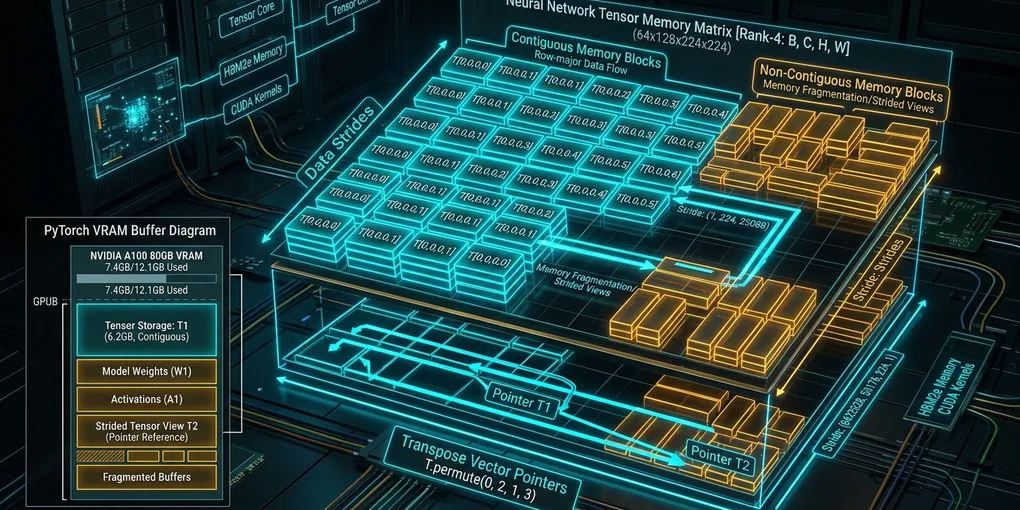
The versioned PyTorch Tensor.view reference documents that the requested size must be compatible with the tensor’s original size and stride, because a view shares the same underlying data without a copy. An incompatible shape/stride relationship explains the error in the title; the correct remedy depends on whether your program requires shared storage and on the meaning of its dimensions. Trace the operation and preserve those semantics before replacing it.
The PyTorch 2.15 Tensor.reshape reference describes returning the requested shape and a view where it is compatible. The PyTorch Tensor Views guide explains that reshape() can return a view or a new tensor, and contiguous() returns the original object when already contiguous but copies a non-contiguous input. Thus reshape() may be appropriate only when a possible copy and the resulting element ordering are acceptable. Neither API automatically proves the intended batch/feature layout.
Capture the failing transformation
Record the following at the failing call, without changing the workload first:
- The exact PyTorch version and build, operating environment, device, dtype, and error message.
- The input shape, strides, storage offset, and element count, together with the exact requested shape.
- The preceding operations that constructed the input, including slicing, transposition, permutation, and any layout conversion.
- The meaning of each input and target dimension, such as batch, sequence, head, or feature.
- Whether later code requires the result to share storage with the input, or whether independent storage is acceptable.
- Whether the operation runs during training, inference, compilation, or CUDA Graph capture.
Keep the observations from a representative failing input. A small reproduction is useful only if it preserves the layout and transformation relevant to the failure; matching the shape alone is not enough to establish that it does.
First check the requested element count and dimension meaning. An output shape can have the intended number of elements while arranging those elements in an order that is wrong for the next operation. Establish the expected mapping of indices before evaluating a layout change.
Choose the next investigation
Use the required semantics to guide the decision:
- Shared storage is required. Consult the pinned release’s official
viewdocumentation for the exact compatibility conditions. Compare those conditions with the recorded sizes and strides and the dimensions the request combines or separates. If the documented conditions are not met, revisit the preceding transformation or the required output layout; do not assume that a replacement preserves sharing. - Independent storage is acceptable. Consult the same release’s
reshapeandcontiguousreferences. Determine their documented copying and memory-format behavior before selecting a candidate. Verify the storage relationship and resource cost in the actual workload rather than inferring either from an operation’s name. - The requirement is unclear. Trace consumers and mutations of both the input and result. Agree on the intended aliasing and dimension order before treating any candidate as a fix.
- The failure follows attention computation. Identify the exact failing operation and its input layout. Check the attention implementation and the subsequent transformation separately. This guide does not certify specific SDPA or FlashAttention backend-selection rules or input constraints; obtain their version-matched documentation before changing a backend.
For the stride investigation, use the release’s reference to determine which dimensions must satisfy its compatibility rule. Pay particular attention to special cases described there, including any treatment of singleton or empty dimensions. Do not use a single contiguity observation as a substitute for checking the requested transformation.
Verify a candidate against the pinned release
For each candidate, retain an inspectable record containing the exact build, relevant official API references, input construction, shape and stride observations, requested output, and outcome. Include the following checks:
- Values and order: Compare the result with a trusted reference that represents the intended dimension mapping. Use inputs that make swapped or mixed dimensions detectable.
- Aliasing: If sharing is required, verify it separately using a method appropriate to the pinned release. Also check any mutation behavior on which the caller relies.
- Execution path: Exercise representative shapes and layouts, including boundary cases used by the application. A successful case does not establish behavior for every shape.
- Training: Where applicable, check the backward path and compare the gradients required by the application.
- Resources: Measure memory and latency in the real execution mode. Record the measurement method, workload, and environment so that comparisons are meaningful.
These are validation tasks, not reported results. If the release documentation cannot be located or the relevant environment cannot be tested, keep the change provisional. In particular, do not promise that a conversion avoids allocation or that it resolves the error.
Check CUDA memory and deployment conditions
A candidate that requires additional storage may be impractical when other tensors remain live. Measure the workload’s peak rather than estimating it from the output alone. PyTorch’s 2.15 CUDA semantics documentation distinguishes memory occupied by tensors from memory managed by the caching allocator. It also describes allocator snapshots for investigating allocation patterns. The same excerpt says empty_cache() releases unused cached memory but does not free memory occupied by tensors; it is therefore not a remedy for storage that is still live.
If the workload uses CUDA Graphs, validate the candidate in the capture and replay workflow. The 2.15 CUDA semantics documentation states that replay assumes the same tensor size and layout for each tensor in the captured sequence. Reassess capture after changing the layout; a successful uncaptured run alone does not establish replay correctness.
Confirm device visibility independently from workload compatibility. The PyTorch 2.15 torch.cuda.device_count reference defines that API as returning the number of available GPUs. That count does not establish that a proposed attention implementation or tensor transformation is supported.
The cited PyTorch documentation, including the view/reshape contracts, is for version 2.15. If the deployed build differs, locate and review its corresponding documentation before applying release-specific guidance. NVIDIA’s CUDA Toolkit documentation hub provides links to toolkit release notes, compatibility guidance, and profiling tools; select the material matching the deployed environment.
Primary sources and validation boundary
-
PyTorch Tensor.view: required shape and stride compatibility
-
PyTorch Tensor Views: aliasing, copying, contiguous, reshape
-
PyTorch 2.15 CUDA semantics: allocator accounting, cache behavior, and graph replay constraints.
-
PyTorch 2.15
torch.cuda.device_count: the available-GPU count API. -
NVIDIA CUDA Toolkit documentation: navigation to toolkit documentation and release material.
No tensor example, GPU benchmark or production workload was executed for this article. The linked PyTorch API pages establish the narrow view/reshape/contiguous contracts but do not prove that a replacement preserves your model’s intended dimensions, aliasing, memory budget or attention backend behavior. Validate on a copy of a representative input before relying on a change. The supplied source material was reviewed on November 13, 2026; current excerpts do not establish what a source said on an earlier date.