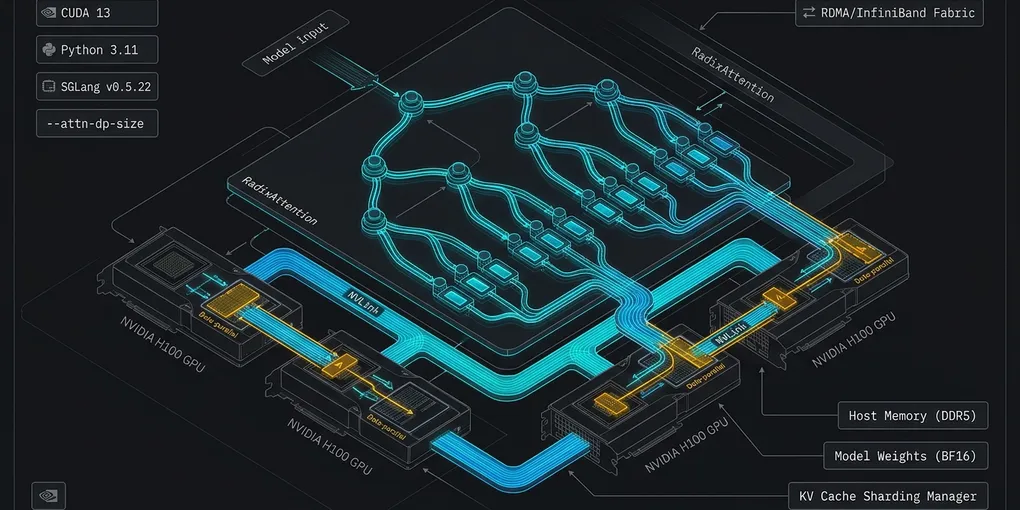
SGLang v0.5.22 Linux Compatibility Checklist: Python, CUDA and Parallelism
SGLang v0.5.22 on Linux: an evidence-bounded migration checklist
The title’s references to Python 3.11, CUDA 13, and DP attention should not be read as established breaking changes or verified fixes. The supplied evidence does not establish those version boundaries or a replacement DP-attention configuration. Treat each as an open compatibility check.
The SGLang v0.5.22 release notes do identify narrower changes worth reviewing: a restriction involving layer normalization and pipeline parallelism, changes for model and plugin authors, and changes to OpenAI-compatible responses. These are starting points for a deployment-specific review, not evidence that an upgrade will succeed.
Earlier claims about Python package requirements, a CUDA driver minimum, image characteristics, DP-attention flag behavior, and replacement commands are withdrawn pending version-specific verification.
1. Establish the deployed baseline
Before selecting a candidate, record what is actually running. Store the record with the change request and restrict access where it contains sensitive configuration.
- Identify the SGLang version and installation source, active Python interpreter, and resolved dependencies.
- Record the container image reference and immutable digest if applicable, along with the host driver, GPU models, and hardware allocation.
- Capture effective launch arguments, relevant environment settings, model revision, and parallelism topology.
- List custom model integrations, plugins, optional kernels, and API consumers.
- Preserve the working artifacts and configuration, and agree on rollback triggers and the person responsible for the decision.
Decision: If the effective configuration or an artifact’s identity is unknown, resolve it before changing versions. An example launch configuration may differ from the running service.
2. Check Python and package artifacts per release
The supplied excerpts do not include version-specific Python requirements or published file lists for SGLang 0.5.20, 0.5.21, or 0.5.22. They do not establish whether Python 3.10 is supported, whether a suitable wheel exists, or which release an unpinned installer would select.
For each release under consideration:
- Inspect its official version-specific package metadata and compare the declared Python requirement with the interpreter intended for the service.
- Inspect published distribution files for the target operating system, architecture, interpreter, and platform tags. A compatible Python requirement alone does not establish that a suitable wheel exists.
- Review pinned-release installation guidance and dependency resolution for the selected backend. Record artifact sources and resolved versions.
- If a required artifact cannot be resolved, investigate that specific incompatibility before selecting another release. Do not infer an unpinned installer’s fallback.
Prepare a candidate in an isolated environment while retaining the working environment. The supplied excerpts do not establish an exact installation command; verify the pinned release’s instructions and artifact metadata before constructing one.
3. Determine CUDA and hardware compatibility
Do not select a driver based on an assumed CUDA version in an image. The supplied NVIDIA CUDA Toolkit 13.0 release notes describe documentation that covers driver compatibility, but the excerpt does not contain the table needed to establish a minimum driver. The SGLang excerpt also does not establish the CUDA version of a particular image or its GPU architecture coverage.
Use this decision sequence:
- Candidate runtime unknown: identify the exact image or package and verify its CUDA runtime or toolkit version first.
- Runtime known, driver compatibility unknown: consult the applicable NVIDIA compatibility documentation and requirements for the features in use.
- Driver check complete, hardware coverage unknown: verify the GPU architecture against the selected framework, SGLang kernels, attention backend, and compiled extensions.
- Any component remains unverified: keep the candidate under review and test on representative hardware before considering deployment.
If the deployment includes custom CUDA code and the candidate uses CUDA 13.0, inspect affected code for deprecated legacy vector types. NVIDIA identifies double4, long4, ulong4, longlong4, and ulonglong4 as deprecated and describes aligned variants. This is a code-review signal, not proof that a particular SGLang deployment is affected. Check the relevant code and pinned toolchain before making changes. NVIDIA CUDA Toolkit 13.0 release notes
4. Review parallelism and integrations
The supplied evidence does not establish whether a DP-attention flag is deprecated, whether a legacy form warns, what particular replica settings mean, or which replacement flags are valid. Do not mechanically convert an existing launch line.
Compare each effective argument with the pinned release’s documentation, source, or installed parser help. Record its accepted values, default, interactions, and meaning for the intended topology. Review expert-parallel settings and optional attention or MoE backends separately. Establish that any documentation consulted applies to the release being evaluated.
There is one specific restriction in the v0.5.22 release notes: --enable-layernorm-sp is rejected with pipeline parallelism. If the candidate combines them, stop and consult pinned-release guidance; the supplied excerpt does not provide a verified replacement configuration.
For custom model and plugin code, the same notes say ModelRunner.tp_group is removed and direct authors to obtain get_parallel().tp_group in the scope where the code runs. Inspect affected integrations and test their behavior against the pinned source. A textual substitution alone does not establish correctness.
5. Validate behavior and decide whether to advance
Use the verified candidate artifacts in a controlled environment representative of the target deployment. Compare the candidate with the working version using the same model, topology, and agreed workload. Check startup, model loading, request completion, error handling, and resource behavior. Investigate failures at the relevant layer: package resolution, runtime compatibility, argument parsing, topology, model integration, or client contract.
Include consumer contract checks. The v0.5.22 release notes say an absent tool_calls field is omitted instead of returned as null, and a stream keeps one created timestamp throughout its lifetime. Exercise clients that deserialize these fields or interpret streaming timestamps. For DeepSeek deployments, also check the documented change to tool_choice: "none" handling.
Advance only after the deployment’s acceptance checks pass and its rollback path is ready. Parser acceptance or successful startup alone does not establish correct model output or client compatibility.
Primary sources
- SGLang v0.5.22 release notes: parallelism restriction, integration changes, and API response changes.
- NVIDIA CUDA Toolkit 13.0 release notes: deprecated vector types and aligned variants.
Validation boundary and source-review notice — November 13, 2026: This review is based only on the supplied excerpts. No command, installation, GPU run, API call, benchmark, or end-to-end migration was executed. The excerpts do not resolve the Python, driver, image, hardware-coverage, or DP-attention questions above. Current source pages alone cannot establish what their contents were on a historical date.